 Workast
How to view tasks in a Slack channel
Tasks in a Slack channel automatically create a Space in Workast.
Tasks are shown both in Slack and in the Workast web app. To view the Workast tasks in a Slack channel, click on the channel where the tasks were created
- To see the tasks in a channel, type: /todo list
- This will show all the open tasks in that channel
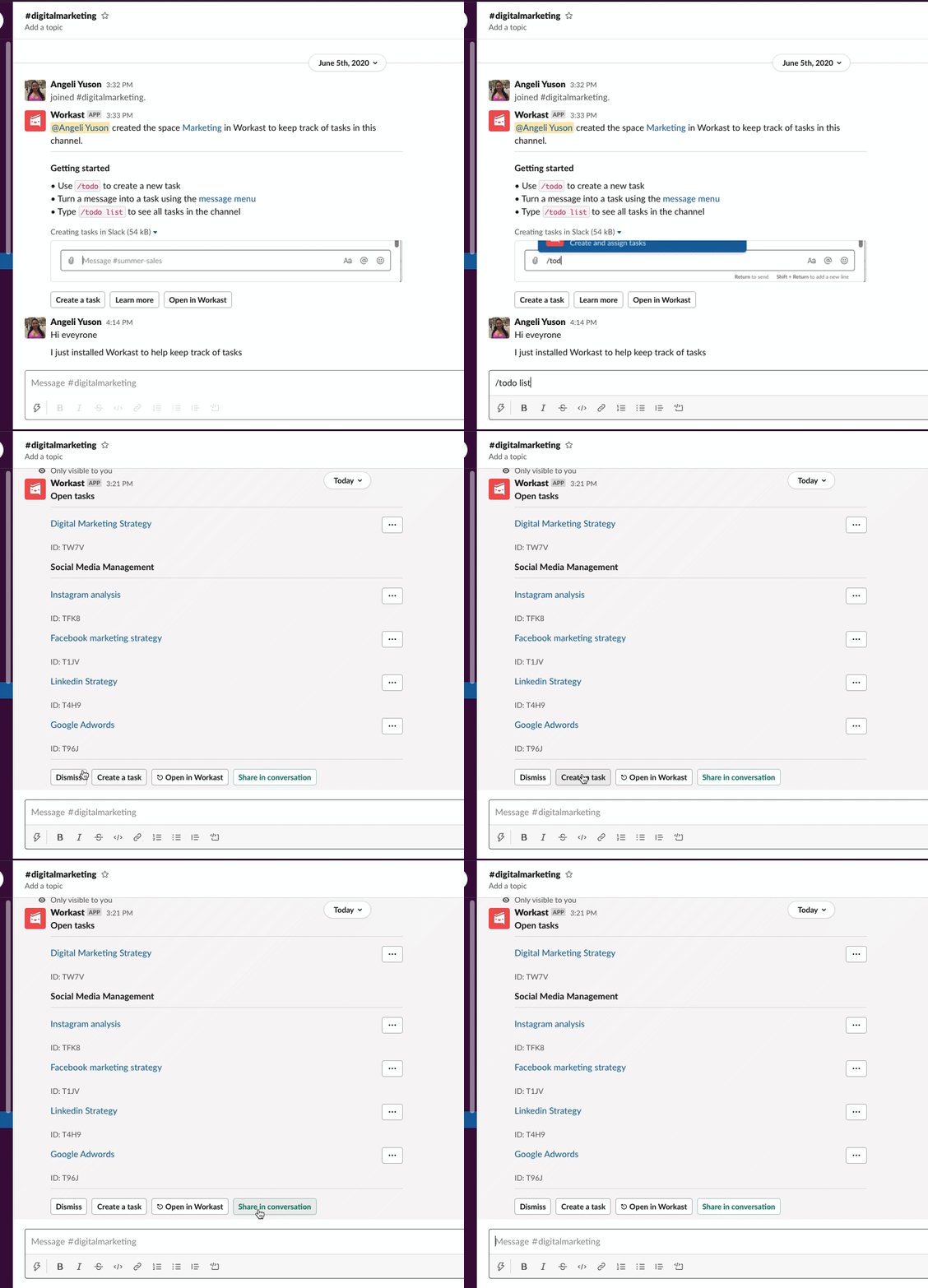
- The tasks shown are "Only visible to you"
- You can share the tasks publicly in the channel, by clicking the green button "Share in conversation". This will share the current list in the channel to all the participants.